Bosch B426M IP Module Ethernet Communication Module for Solution 2000 & 3000
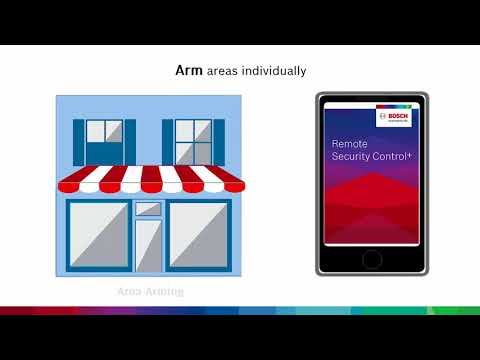
Upgrade your Bosch alarm system with the Bosch B426M IP Module Ethernet Communication Module, designed to connect compatible Bosch Solution 2000 and Bosch Solution 3000 alarm panels to the Bosch Remote Security Control Plus (RSC+) app. This module allows users to remotely arm and disarm their alarm system, receive push notifications, check system status, view panel history, and manage selected outputs from a compatible mobile device.
The B426M provides a hardwired Ethernet connection from your router to the Bosch alarm panel, delivering reliable IP communication without the need for complicated port forwarding or router configuration.
Model: B426M
Key Features of the Bosch B426M IP Module
-
Remote App Control – Arm and disarm your Bosch Solution 2000 or 3000 alarm system from your smartphone
-
Push Notifications – Receive mobile alerts when an alarm event occurs
-
Arm/Disarm Notifications – Set up alerts to know when the system has been armed or disarmed
-
Hardwired Ethernet Connection – Connects directly from your router to the alarm panel
-
Cloud Connect Setup – Simple setup using the Bosch RSC+ app and onboard QR code
-
No Port Forwarding Required – No complicated IP addressing or router management needed
-
Full Two-Way IP Event Reporting – Supports remote panel programming with compatible Bosch control panels
-
10/100 Base-T Ethernet – Suitable for IPv4 and IPv6 networks
-
Encrypted Communication – NIST-FIPS197 certified 128-bit to 256-bit AES encrypted line security
-
Plug & Play Installation – Designed for fast and simple network connection
Smartphone Control with Bosch RSC+ App
The Remote Security Control Plus (RSC+) app is available for compatible iOS and Android devices and is designed for Bosch Solution 2000 and Solution 3000 alarm panels when connected with the B426M Cloud Connect IP Module.
Once connected, the app allows users to manage their alarm system from their mobile phone, making it easier to stay informed and in control whether you are at home, at work, or away on holidays.
- Arm and disarm your alarm system remotely
- Receive push notifications for alarm events
- Receive updates when the system is armed or disarmed
- Check the status of your alarm zones and sensors
- Isolate sensors if required
- Control up to 20 output devices connected to the panel, such as garage doors or other compatible devices
- View full panel history from the app
- Connect multiple panels to one app account where configured
Simple Cloud Connect Setup
When used with the Bosch B426M Cloud Connect Communication Module, the RSC+ app is simple to set up. Connect the panel to an existing network connection, enable Cloud Connect, then scan the QR code on the module to bring the system online.
There is no need for advanced IP addressing, port forwarding, or complicated router configuration. If the site has a working internet connection, the module can be configured for remote access and push notifications.
Why Choose the Bosch B426M IP Module
- Adds mobile app control to compatible Bosch Solution 2000 and 3000 alarm panels
- Ideal upgrade for customers wanting push notifications
- Reliable hardwired Ethernet connection
- No ongoing app subscription fees for RSC+ app, cloud connection and push notifications
- Simple QR code setup for adding the panel to the app
- Great for homes, offices, retail shops and small business alarm systems
- Allows users to monitor alarm events while away from the property
- Helps families know when children arrive home and disarm the alarm
- Suitable for professional Bosch alarm installations and upgrades
Compatibility Note
The Bosch B426M IP Module is designed for compatible Bosch Solution 2000 and Bosch Solution 3000 alarm panels.
Important: The alarm panel must be running firmware version 2.0 or later to use the B426M module. If your panel is version 1.0 or 1.2, please contact CTC Communications to discuss firmware upgrade options before purchasing.
How to Enable the B426M IP Module from the Keypad
The Bosch B426M module can be enabled from the keypad using installer programming. If you are unsure, professional installation is recommended.
- Enter the installer code followed by the # key to enter programming mode. Example: 1234#
- Enter 0081 followed by the # key.
- Enter 3 followed by *, then #.
- Enter 4456 followed by the # key.
- Enter 4 followed by *, then #.
- Enter 960 followed by the # key.
Once the module is enabled, create an account through the Bosch RSC+ app and scan the QR code supplied with the module to add the alarm panel to your mobile device.
Ideal Applications
The Bosch B426M IP Module is ideal for:
- Homes with Bosch Solution 2000 or 3000 alarm systems
- Small businesses wanting mobile alarm control
- Retail stores requiring alarm event notifications
- Offices needing remote arming and disarming
- Customers upgrading older Bosch alarm systems
- Properties needing push notifications without complex router setup
Installation Note
The B426M requires a hardwired Ethernet connection between the alarm panel and the router or network point. Professional installation is recommended to ensure the module is correctly connected, enabled, programmed, and linked to the Bosch RSC+ app.
Upgrade Your Bosch Alarm with Mobile Control
When you choose the Bosch B426M IP Module, you are adding modern app control and push notification functionality to your compatible Bosch Solution 2000 or Solution 3000 alarm system. It is a smart upgrade for customers wanting easier alarm management, remote access, and real-time alerts from their mobile phone.
Need help upgrading your Bosch alarm system? CTC Communications offers Sydney-wide Bosch alarm installation, app setup and expert support for homes and businesses.